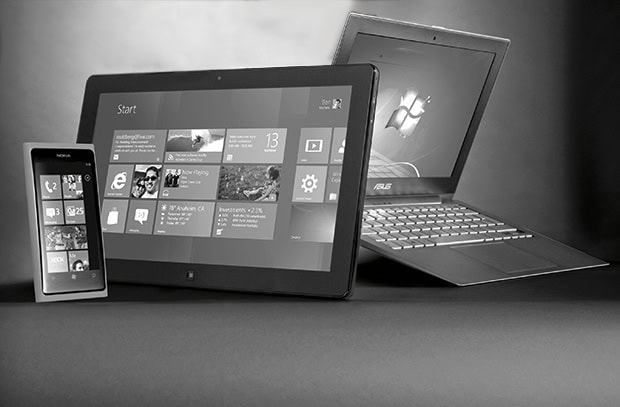
Overall, there are dozens of improvements, but the first thing that everyone will notice is the new ‘tiled’ interface. Don’t be put off by the tiles; they can be put aside in a moment to give us the interface we all know well.
Windows 8 has some awesome features for home use. People who rush out and buy any one of the new devices with this platform will enjoy it. But if your copy of Windows must work in a business with a network full of servers, applications and devices, let me just pull on the handbrake for a moment.
We are all likely to see Windows 8 being brought into our small to medium enterprises (SMEs) by individuals bringing their own devices to the workplace before business systems have been tested and made ready to support the devices. Your printers, scanners and other shared network devices will be one point of contention; the big players in the peripheral markets have not yet all brought drivers out that support Windows 8.
Your software, such as MYOB’s Accountants Office, will be the second challenge. So, which versions of MYOB are Windows 8-ready? According to MYOB, all their latest versions (2012.8 onwards and 19.8) are compatible with Windows 8; however, any older programs, such as Accounting or BusinessBasics, are not compatible and never will be.
You may not be using MYOB. But its issues serve as a warning that you must check your applications before you accept an upgraded PC from the IT department or a supplier who just wants a quick sale.
Typically, new PCs will come with the latest version of Windows pre-installed. Rather than upgrading in an uncontrolled manner, you need to explicitly assess your needs. Just letting things happen will likely lead to some unexpected failures, higher support costs and frustrated users trying to get their old work done with new machines.
You must test, research and upgrade each of your software tools before you leap to Windows 8 (unless, of course, you have moved all your systems to platform-independent cloud-based applications). That means ensuring that not only your finance systems are ready but also that your production systems, CRM and other systems are supported by Windows 8. Some will move across seamlessly; others will need to wait on updates from providers.
If you need to upgrade PCs quickly, chances are that, for a little while, you are better off using Windows 7, which has mature supporting drivers and applications. The good news here is that if you buy Windows 8 Pro, you get downgrade rights, so you can buy your next licence now and use the old Windows 7 or earlier platform until the testing has been done. You may want to test both, to make an informed decision about which platform will work best for your business.
Certainly if the testing has been done and there are no show-stoppers, upgrading to Windows 8 is going to give you the best bang for your invested buck.
Of course, the early adopters out there will want to grab the devices and ignore the risks and costs. For the more conservative among us, each upgrade to the operating system is going to cost a few hundred dollars per user in lost productivity and technical support time. It will also require training and learning for staff, as well as time spent getting used to the new layout and features.
Consider the business case for spending money to rectify the issues that arise. For example, putting off an upgrade to dozens of staff just because the $300 label printer won’t work is probably not sound; simply replacing the printer with a compliant version will allow you to progress.
Waiting a little while may reduce the cost of finding solutions to lots of small problems that will be fixed as suppliers update their code. Testing and being ready for the inevitable upgrade makes a lot of sense.
If you support clients who are on old platforms and application versions, sell them new ones. You may be doing them a favour. If you can’t sell them new equipment, consider moving them to cloud applications. This will also protect them from the inevitable failure of their ageing computers with poor or non-existent backup.
So, Windows 8 for your SME? Think W8 – wait. Warn your ‘bring your own device’ staff that Windows 8 support is on the way but that these devices will not be supported before testing has been done. Finally, seek competent assistance with the testing process.